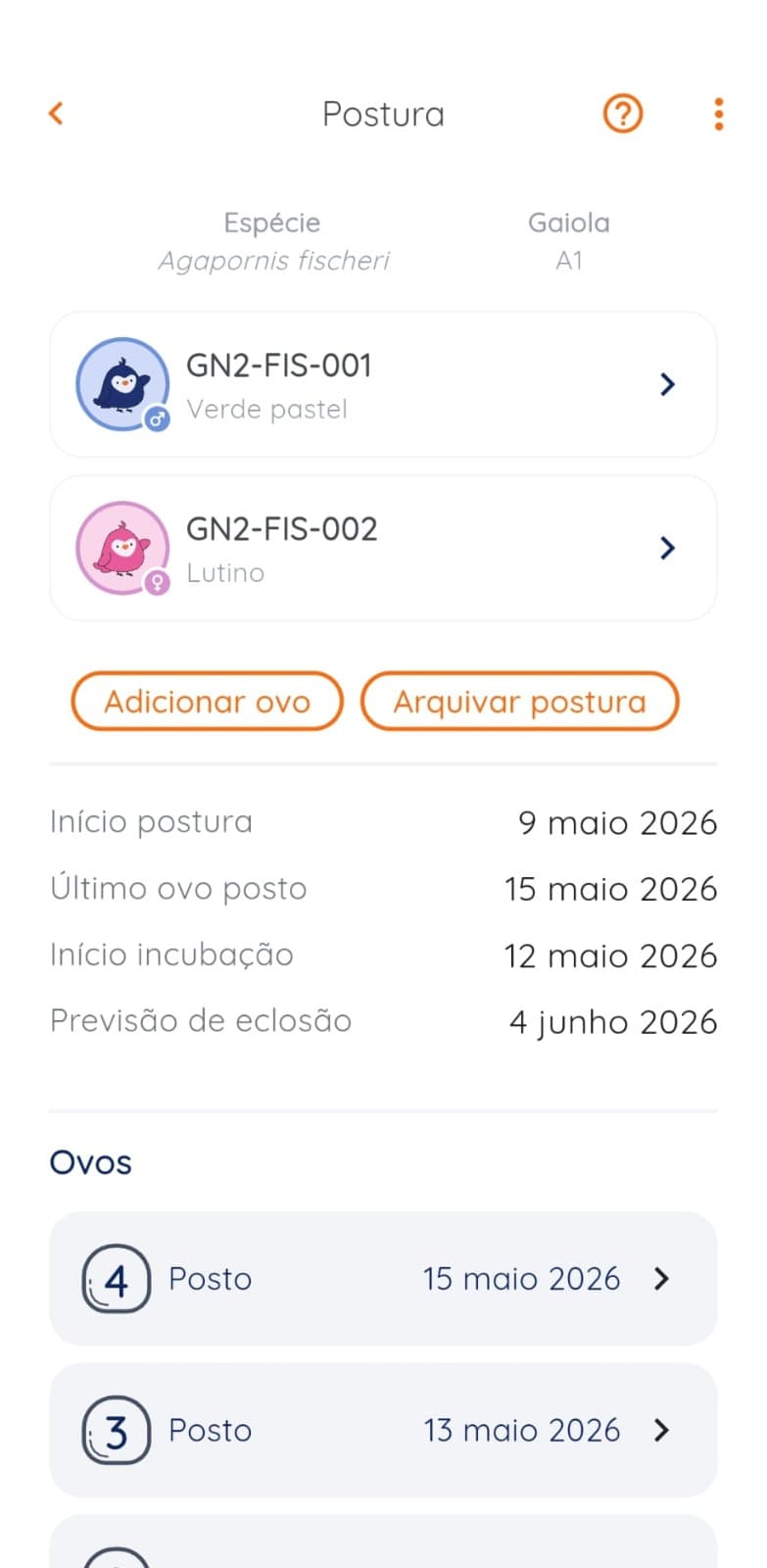
Who this guide is for
Use this guide when there are several clutches at the same time, eggs transferred between nests or doubt about which chick came from each pair.
Step-by-step process
1. Confirm the parent pair
Before creating the clutch, confirm both parents and the nest location. If parentage is uncertain or a partner changed recently, resolve the birds' identities before linking any chicks.
Create a breeding-pair record even when the pairing is temporary. This keeps breeding results and clutches grouped without losing each bird's individual identity.
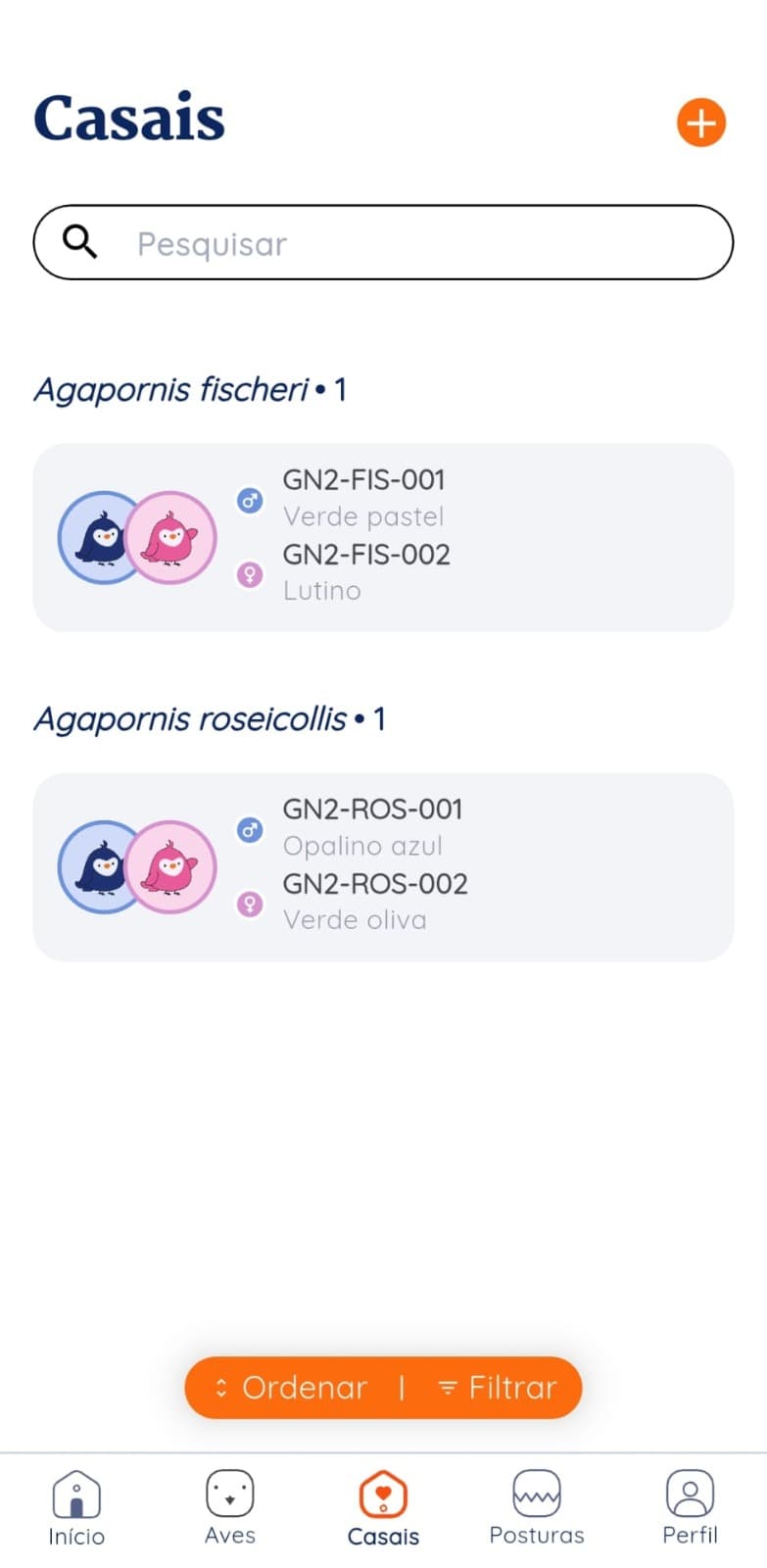
2. Create the clutch with a clear identifier
Record the start date, nest or location, and parent pair. Use a short identifier such as C-07/P-03, but do not rely on the code alone; the system must preserve the underlying relationships.
If a date is estimated, mark it as an estimate. Precise dates and approximate dates should not appear equivalent.
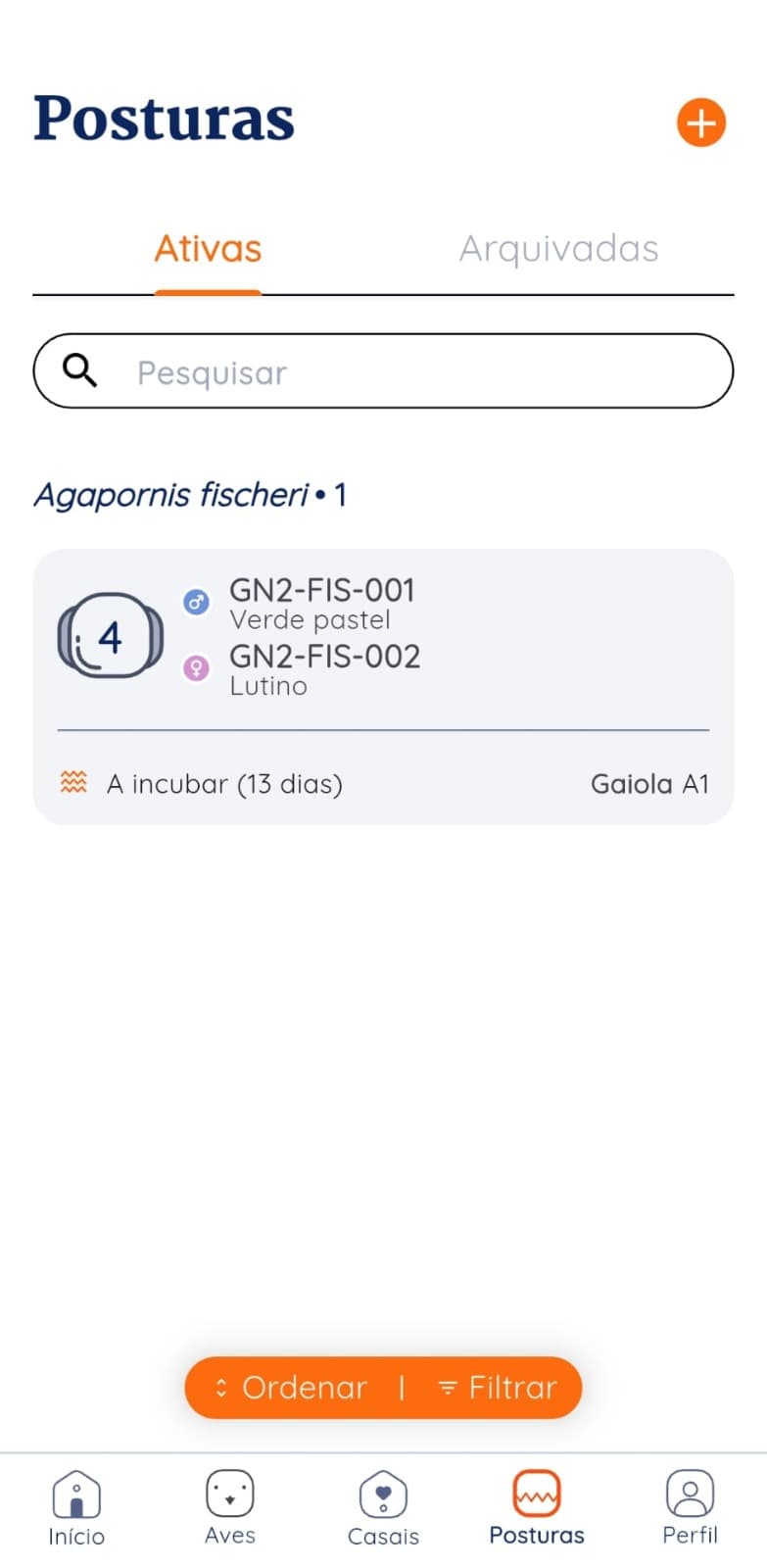
3. Create a record for each egg
Number the eggs according to the aviary's convention and record the date for each one. The status must reflect what was observed without turning estimates into certainties.
When an egg moves to another nest or incubator, record the event and preserve its original clutch. Parentage and incubation location are separate pieces of information.
- Egg number or identifier
- Lay date or estimated date
- Current status and date of change
- Original clutch and current location
4. Record the hatch against the correct egg
When an egg hatches, update that egg first and then create the chick's bird record. This sequence prevents a chick from losing its origin or two eggs from pointing to the same bird.
Do not save a species average as the actual hatch date. Estimates help with planning; the record should store the date you observed.
5. Create the chick's bird record and add its leg band
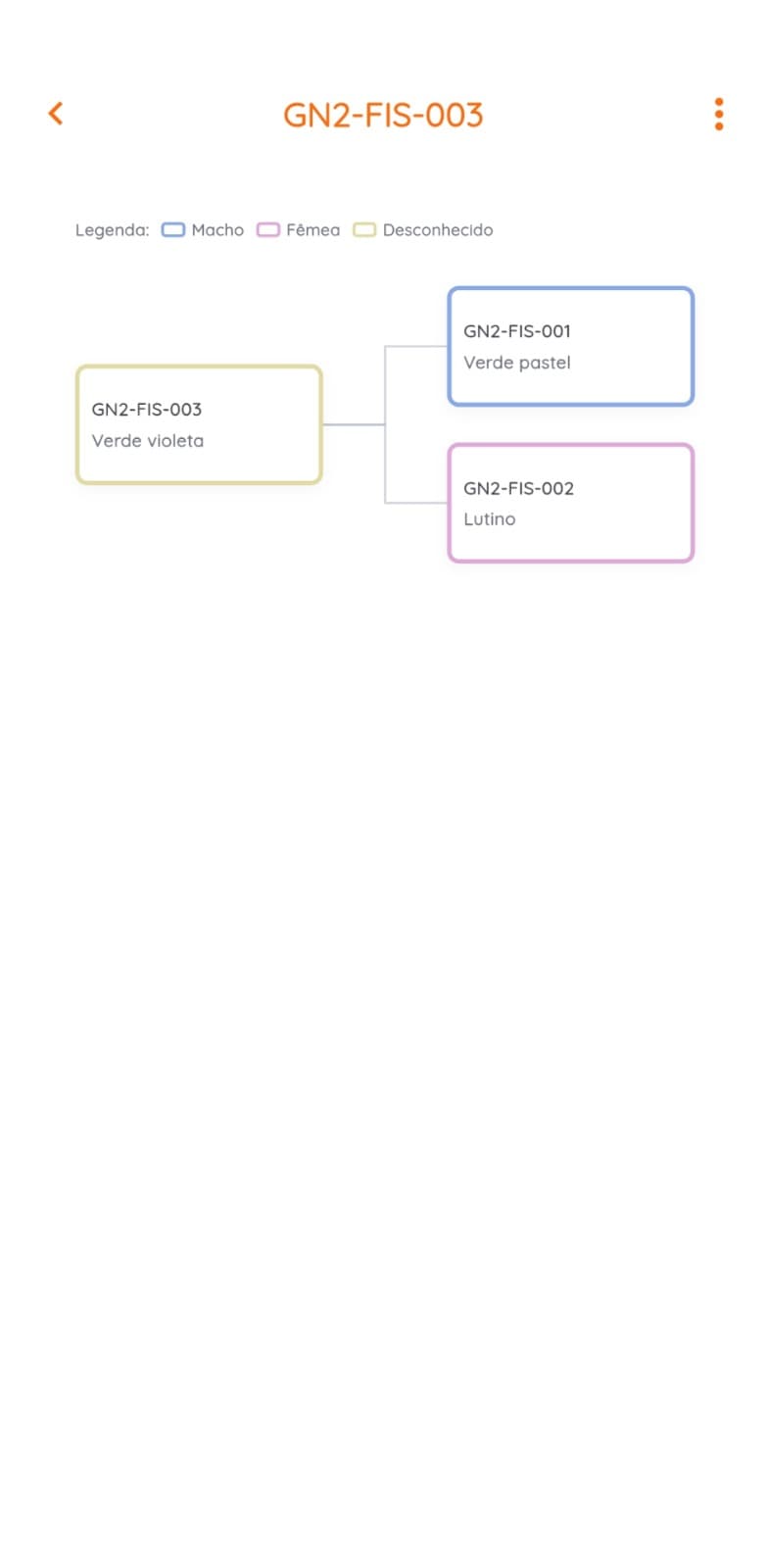
The new bird record is linked to its parents, clutch, and egg. Add sex or mutation only after confirmation. Use the leg band as an additional identifier, including its number and issuing organization when required.
With those relationships preserved, the family tree no longer has to be drawn by hand; it is generated from the records.
Fictional example: four eggs, four stories
Clutch P-07-03 started with four eggs. Individual tracking shows why a single “clutch result” field is not enough.
- Egg 1
- Recorded date · did not hatch
- Egg 2
- Hatched · chick recorded as BR-26-041
- Egg 3
- Transferred from nest · origin preserved
- Egg 4
- Under follow-up · no presumed result
- Clutch
- 2 closed results · 1 transfer · 1 active
Setup checklist
- Breeding pair confirmed before the clutch.
- Clutch with identifier, date and location.
- One record per egg.
- Nest changes preserve the origin.
- The hatch is recorded against the corresponding egg.
- Each chick has a bird record linked to both parents.
- Leg band is added without replacing history.
Common mistakes and how to avoid them
Create the chick without updating the egg
The result would be disconnected. Update the egg first, then create the chick's bird record from that relationship.
Copy the same date to all eggs
Use the observed date per egg or clearly signal that this is an estimate.
Confuse origin with current location
Moving an egg doesn't change its parents. Record origin and current location separately.
Forcing sex or mutation too early
An unknown field is more reliable than a made-up value that propagates through the pedigree.
Sources and limitations
These sources provide context for the method and the Brazilian market. They do not make this article veterinary or legal advice.
- Gudnest: clutch tracking screensThe screens in this guide use fictitious data and represent the flow of couples, clutches, eggs and family relationships.
- IBAMA: Amateur passerine breeding (SisPass)Official source for the Brazilian context of recording wild passerines; applicable rules must be confirmed with the competent body.
Track all active clutches
In Gudnest, keep every egg and chick linked to its parent pair.
Organize clutches at Gudnest