Gudnest: gestão de aves, casais, posturas e ovos
Sobre nósFala connosco
Instalar a App
Gudnest: gestão de aves, casais, posturas e ovos
Instalar a App
Account deletion

Delete your Gudnest account

You can request account deletion directly in the Gudnest app. The screenshots below show exactly where the delete account button appears and what happens after you confirm.

Where to find the button

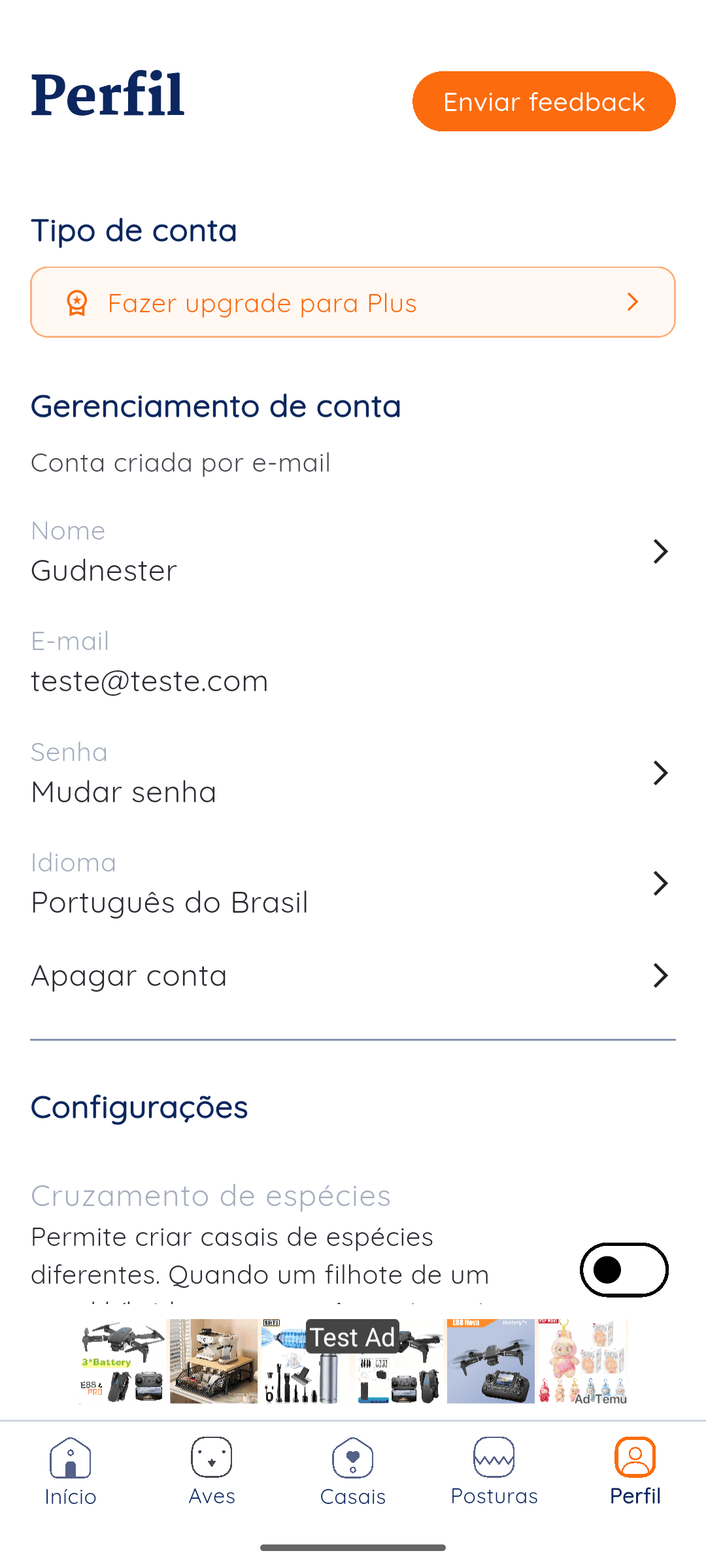
Open Gudnest and go to your profile area. In account management, you will find the delete account option.

Steps in the app

  1. Open the Gudnest app and tap the Profile tab.
  2. Scroll to the account management section and tap Delete account.
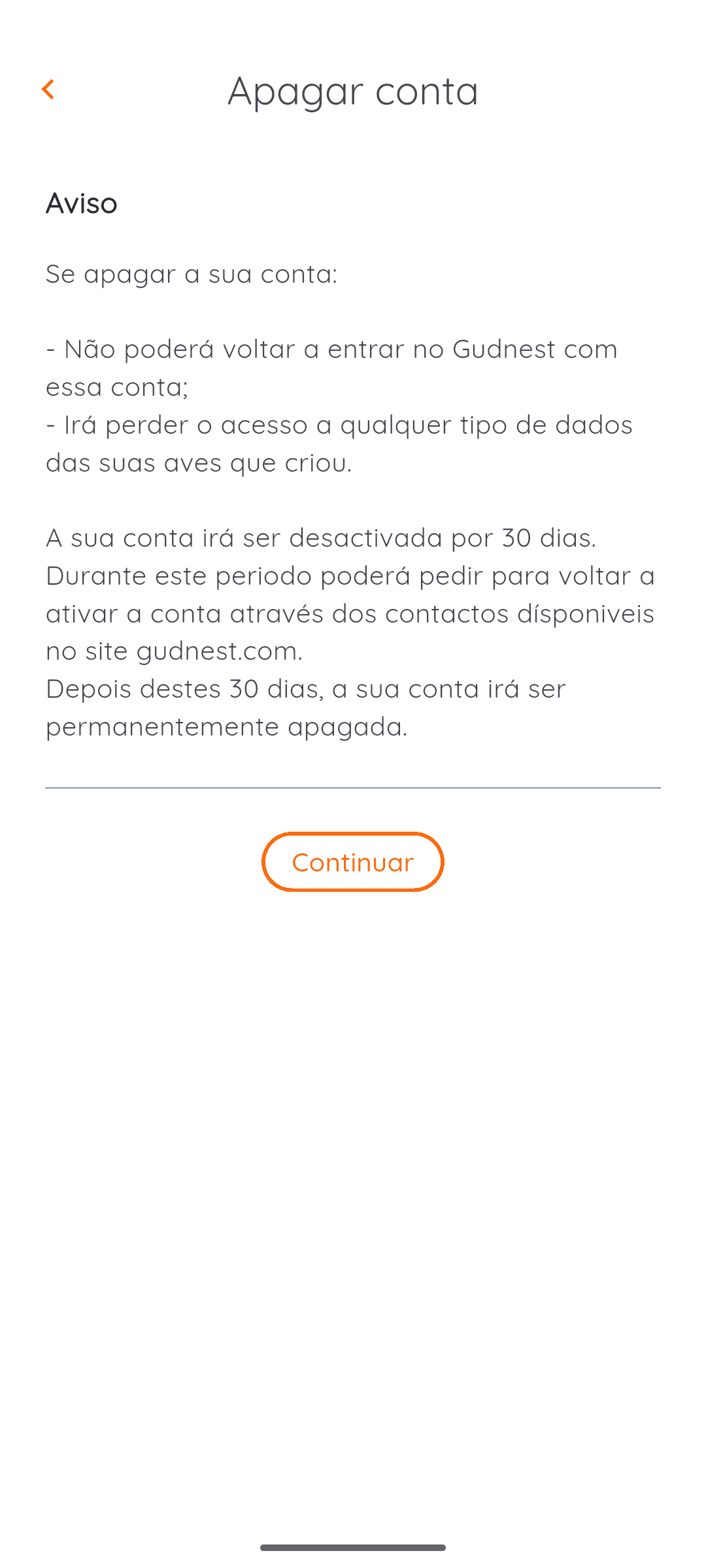
  3. Review the warning screen and tap Continue to confirm the request.
Retention note: Gudnest keeps the account deactivated for 30 days before permanent deletion.

What happens after confirmation

  • You lose access to the Gudnest account and the bird records associated with it.
  • Your account is deactivated for 30 days.
  • After 30 days, the account is permanently deleted.

Screens shown in the app

Profile screen

Profile screen

The Delete account option appears in the profile area, under account management.
Confirmation screen

Confirmation screen

The app explains that the account is deactivated for 30 days before permanent deletion.

Need help outside the app?

If you cannot access the app and still need help with account deletion, contact us and we will guide you through the next step.

Contact us
Gudnest

A tornar a avicultura doméstica mais simples, um criador de cada vez.

Explorar

  • FAQs
  • Sobre nós
  • Fala connosco
  • Instala a App

Legal

  • Política de Privacidade
  • Politica de Cookies
  • Termos e Condições
  • Apagar conta

Segue-nos

  • Instagram
  • Facebook
© 2026 Gudnest. Todos os direitos reservados
Com o apoio:@criatoriobarcelos@penazul_aviario